
Author: tinnokesh
-
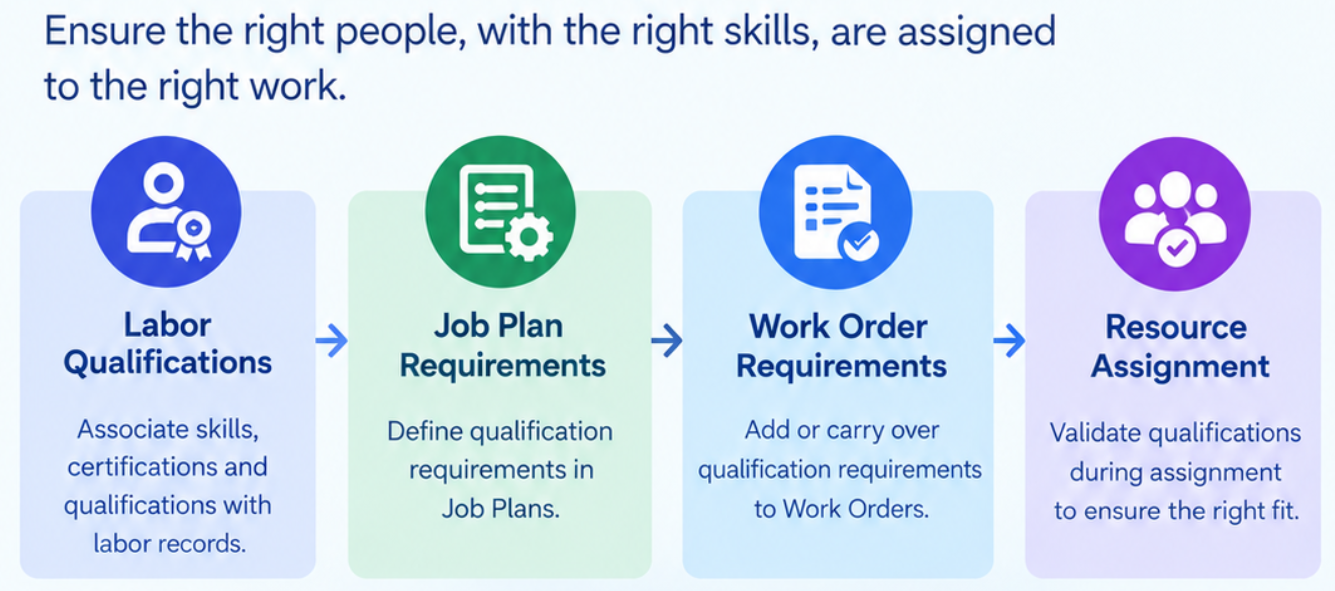
Improve Workforce Planning using Qualification Requirements in Maximo Manage
Overview In IBM Maximo Manage, qualification requirements are a key aspect of workforce planning. This helps ensure that work orders are assigned to labor resources with the necessary skills, certifications, and qualifications to perform the required work, ensuring that tasks are carried out by qualified work force. Maximo Manage allows qualifications to be associated with…
-
Operational Dashboard in Maximo Manage
Operational Dashboard The Operational Dashboard in IBM Maximo Application Suite (MAS) is a modernized dashboard designed to help users monitor operational performance, review key performance indicators (KPIs), track workflow assignments, access work queues, navigate to favourite applications, and execute common actions on selected records. It is based on Graphite dashboard framework It enables users to…
-
Maximo Automation Script for Integration
Automation Script for Integration An Integration Automation Script in IBM Maximo provides a flexible way to add custom logic to the integration process. It allows you to validate, transform, or add integration data and apply business rules while messages are being exchanged between Maximo and external systems. Integration Automation Scripts are mainly useful when the…
-
Maximo Automation Script : Custom Condition Launch Point
Custom Condition Launch Point A Custom Condition Launch Point in IBM Maximo allows you to use an Automation Script to evaluate identified business condition and return a True or False result. It is especially useful when the required logic is too complex to be handled easily using a standard conditional expression. The Automation Script evaluates…
-
Maximo Automation Script : Object Launch Point
Object Launch Point An Object Launch Point in Maximo associates an automation script with a Maximo Business Object (MBO) and executes the script when a defined business-object event occurs. It is useful for extending standard Maximo business logic without modifying the underlying Java classes. This helps to implement logic around events such as initialization, validation,…
-
Maximo Automation Script : Attribute Launch Point
Attribute Launch Point In IBM Maximo, Automation Scripts provide a powerful way to implement business logic without modifying the core Maximo application code. Here we will see about Attribute Launch Point. An Attribute Launch Point in Maximo allows you to associate an Automation Script with a specific attribute of a business object and execute the…
-
Maximo Automation Script : Action Launch Point
Action Launch Point An Action Launch Point is a mechanism that associates an Automation Script with a Maximo Action, allowing the script to be executed when that action is invoked. IBM Maximo provides actions that can be invoked from different areas of the application, such as workflows, escalations, UI menus, and UI buttons. An Action…
-
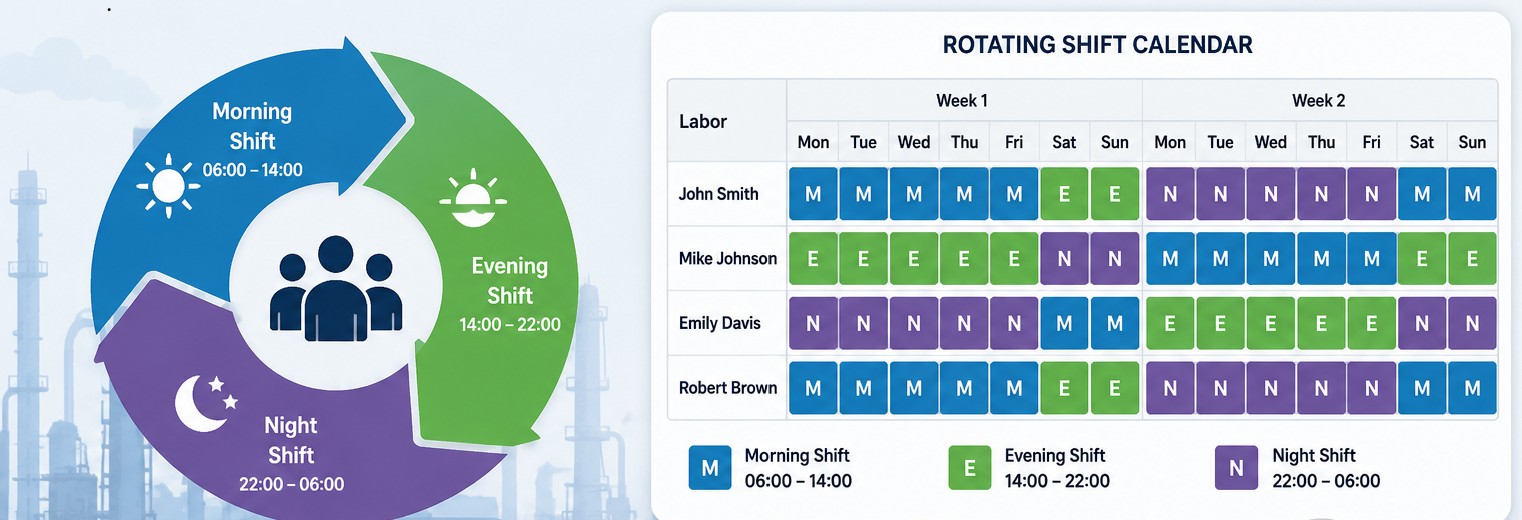
How to Configure Rotational Shifts in IBM Maximo Manage
A rotating shift is a planned work schedule in which employees move between different shifts—such as morning, evening, and night—over a defined period. Rotating shifts are commonly used in 24/7 industries to maintain continuous operations while effectively managing workforce availability. Starting with IBM Maximo Manage 9.2, multiple shifts can be defined for a Labor/Crew and…
-

How to Start and Stop Maximo Manage in Maximo Application Suite (MAS)
IBM Maximo Application Suite (MAS) provides powerful capabilities for managing enterprise assets and applications. In this blog, we will explore the stop and start operations in Maximo Manage Start and Stop Manage Using the Administrative API Maximo Manage provides administrative utilities that can be invoked through the API framework. These APIs can be used to…
-
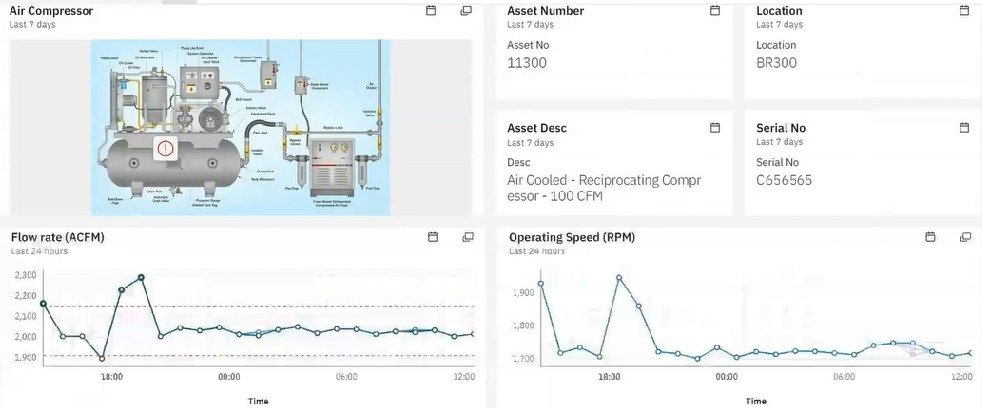
Real-Time Remote Monitoring of Assets with IBM Maximo Monitor
Overview In today’s world, gaining visibility across operations is increasingly challenging due to legacy systems, disconnected applications, and data silos. Critical asset information is often scattered across multiple OT systems, historians, IoT platforms, and enterprise applications, making it difficult to identify issues proactively or respond quickly to operational disruptions. Equipment can sometimes operate outside expected…