
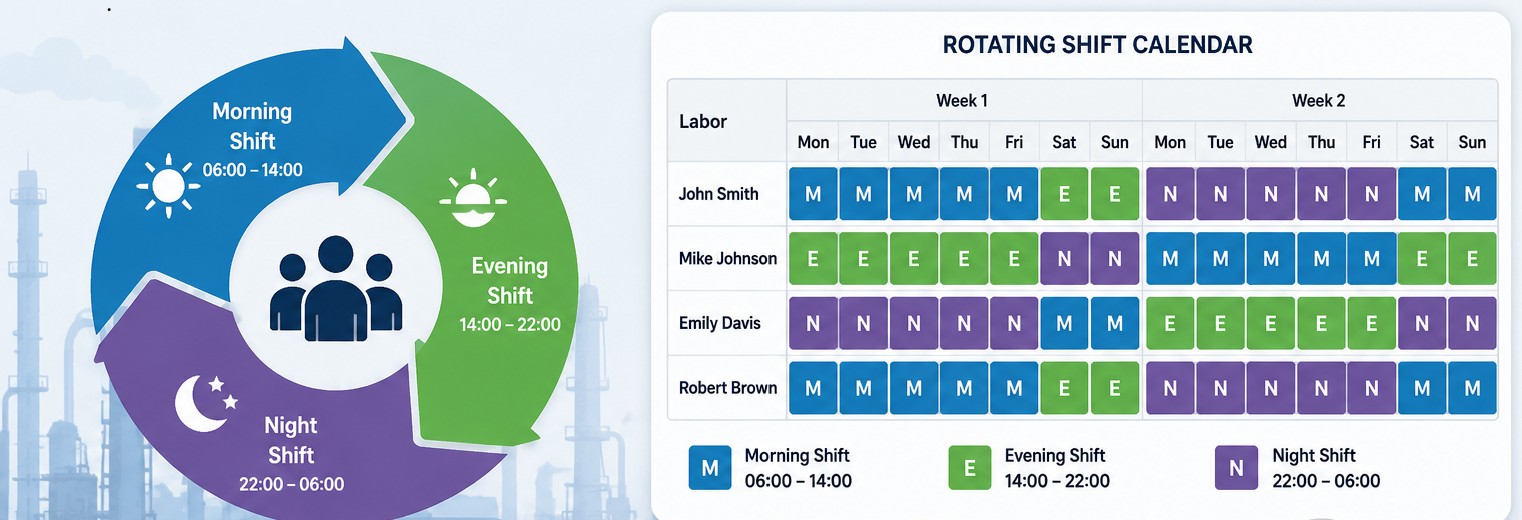
A rotating shift is a planned work schedule in which employees move between different shifts—such as morning, evening, and night—over a defined period. Rotating shifts are commonly used in 24/7 industries to maintain continuous operations while effectively managing workforce availability. Starting with IBM Maximo Manage 9.2, multiple shifts can be defined for a Labor/Crew and mapped to specific time periods.
Define Rotating Shifts Manually
Maximo Manage provides administrative utilities that can be invoked through the API framework. These APIs can be used to start and stop Manage without directly accessing the OpenShift cluster. This approach is particularly useful when the administrator wants to perform the operation remotely using an API client such as Postman or another REST client.
- Navigate to Administration → Resources → Labor/Crews
- Select the required labor/crew record
- Navigate to the Rotating Shifts tab
- Click New Row
- Populate the following details:
- Shift
- Work Date
- Start Time
- End Time


Define Rotating Shifts Using a Template
Define the Rotating Shift Template
- Navigate to Administration → Resources → Labor/Crews
- From the More Actions menu, select Rotating Shifts Templates
- In the Template section, click New Row
- Populate the following template details:
- Template
- Description
- Calendar
- In the Rotating Shift Pattern section, click New Row
- Define the rotating shift pattern by entering:
- Week Number
- Shift
- Week Day From
- Week Day To
- Start Time
- End Time
- Hours of the Week

Apply the Template to a Labor/Crew Record
- Navigate to Administration → Resources → Labor/Crews
- Select the required labor/crew record
- Navigate to the Rotating Shifts tab
- Select Actions → Apply Template
- In the Apply Template dialog, select the required template
- Select Override Work Availability if you want the template to replace any existing work shifts for the labor
- Select Override Non-work Availability if you want the template to override existing non-working periods
- Click Apply Template


Key Points
- Rotating shift functionality is available in both Labor and Crew application
- Rotating shift template can be defined and applied by selecting single or multiple labor(s) or crew(s)
- If a labor/crew already has a rotating shift for the same or overlapping period, the system displays below warning, the user can choose to keep the existing rotational shift or continue with the new template

Leave a Reply